Found It: How To Quickly Remove Malware From Windows Server in One Place

You came here for How To Quickly Remove Malware From Windows Server, and everything below is exactly that, shown here as a varied gallery of reference images.

Reading about something is one thing; seeing it is another, which is why browsing through the images is often the fastest way to understand it.
How To Quickly Remove Malware From Windows Server in Actual Pictures

The images below show How To Quickly Remove Malware From Windows Server in many different forms and settings, so you can compare them side by side as you scroll.
There is no need to rush past the pictures, and repeated details across images reveal what truly matters.

How the Gallery Helps You Understand
Each image works as a small explanation of its own, showing details that are hard to put into words.
Notice which details stay consistent across the pictures, because consistent details are usually the essential ones.

Many Forms and Variations
The differences between examples are part of what makes browsing useful, a few lean traditional while others feel modern, and seeing them together makes your own preference obvious.
If one image catches your eye, pause on it and ask why, that reaction is a better guide than any checklist.
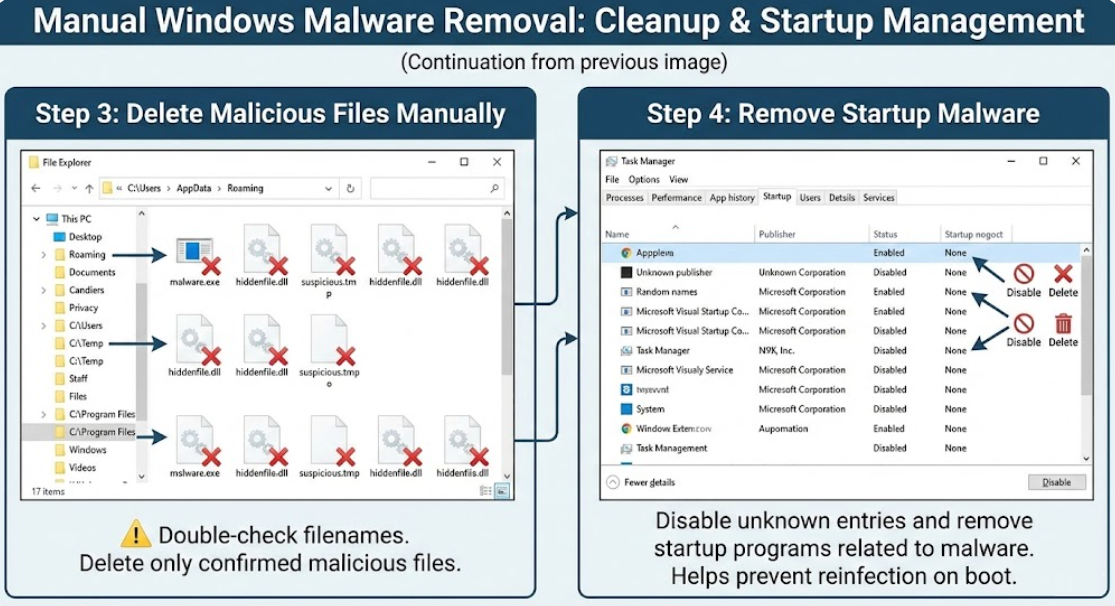
Making the Most of the Gallery
The collection works best when you do something with it, for instance, keeping a shortlist of your favorite pictures.


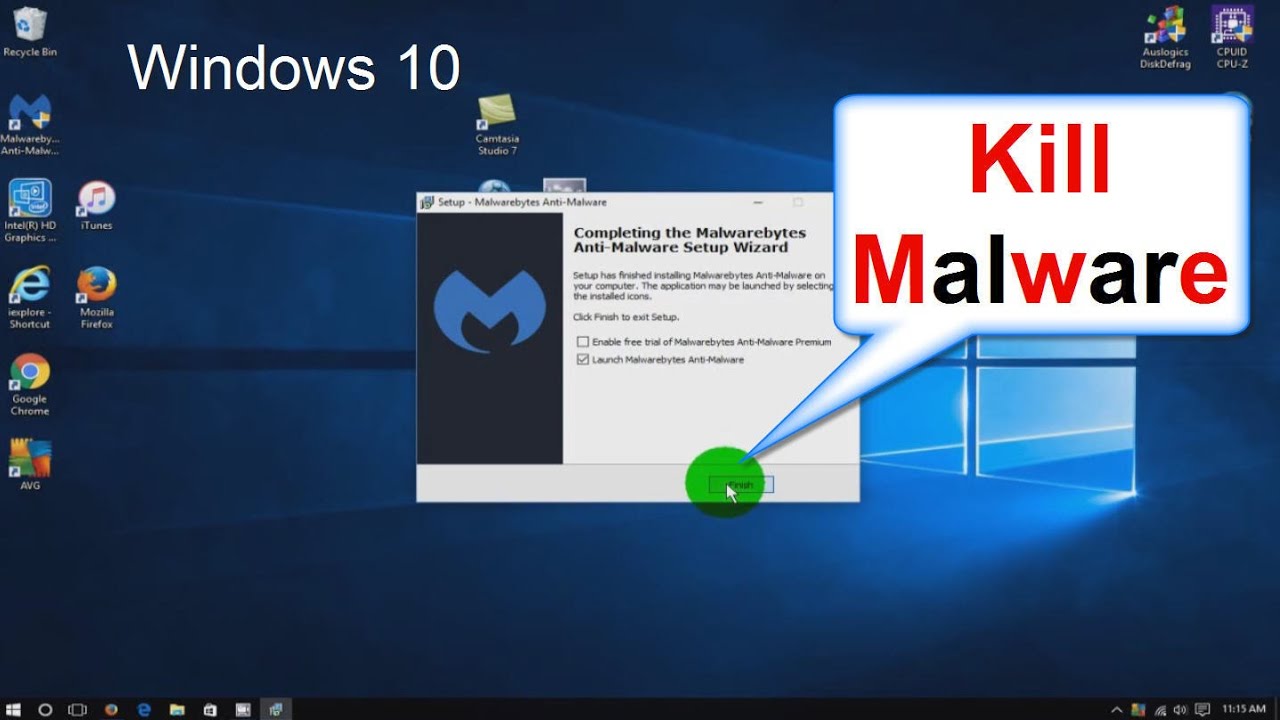
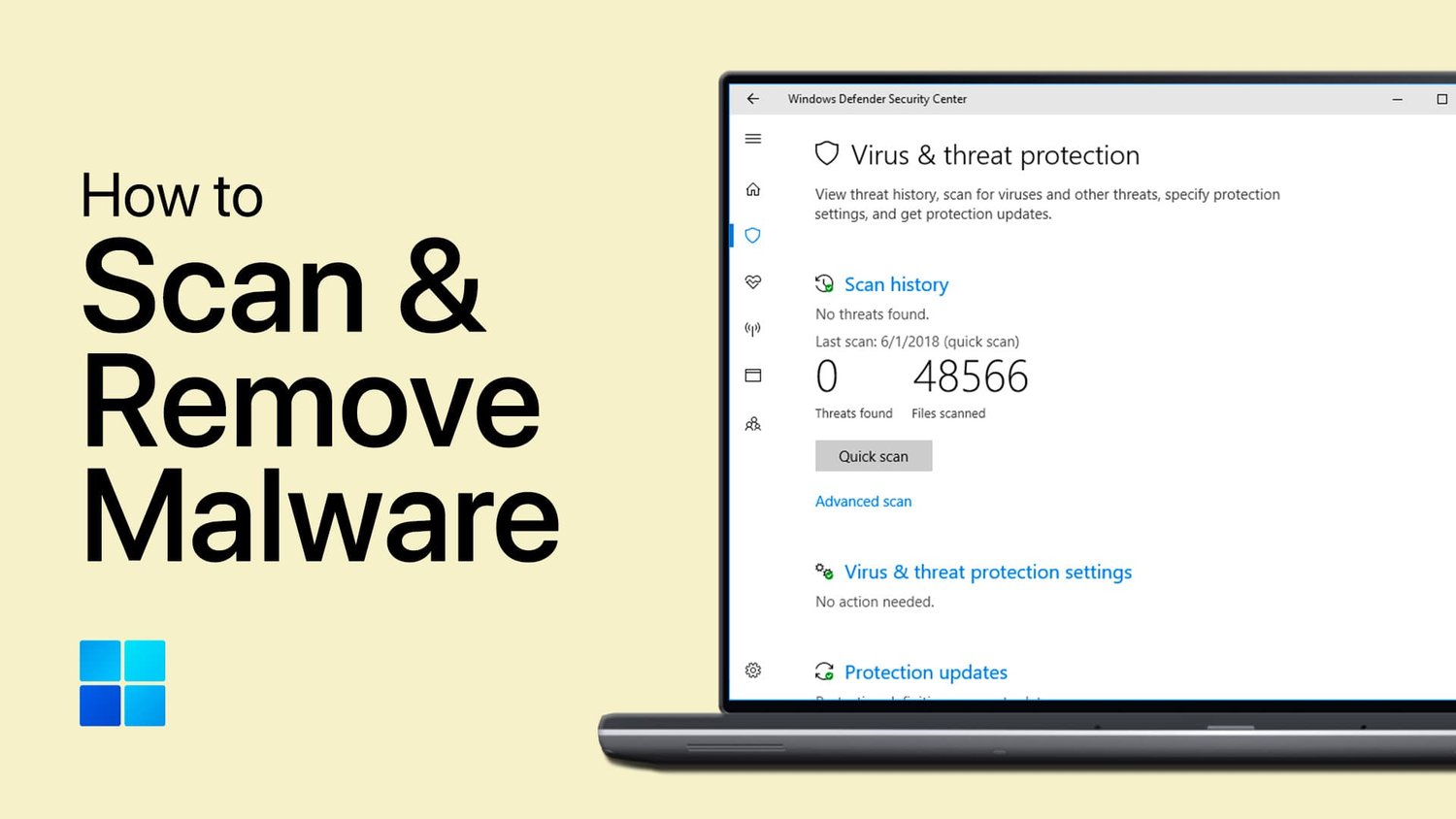

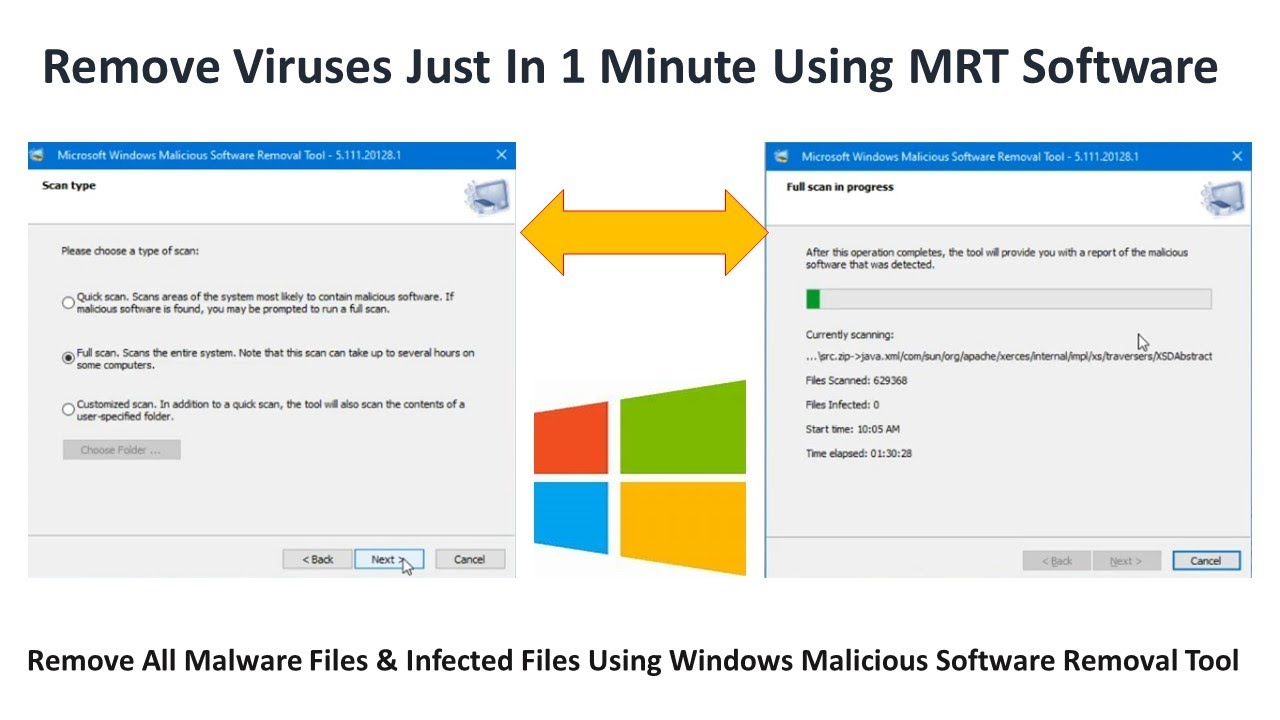





 (5)-1.png?width=800&name=Copy of Process (5) (5)-1.png)





Sometimes the fastest way to communicate is to share the picture itself, because pointing to a real example replaces a long and error-prone description.
Closer Looks at the Examples
Beyond the first impression, each image contains useful details, noting the choices that give each example its character.
A closer look at one good image beats skimming twenty, so choose the closest matches and examine those thoroughly.
Seeing Is Understanding
Visual search exists because the human brain processes pictures instantly, an image delivers the subject directly with no filter.
That is why a varied collection like this is so effective, so whatever brought you here, the images can carry you the rest of the way.
Browse More Images Whenever You Need
Bookmark this collection of How To Quickly Remove Malware From Windows Server examples, as your preferences may shift the second time you look.
Over time, you will notice details casual viewers miss, so scroll back up and give the collection another look.