Found It: Primary Wan Setting On Business Router in One Place
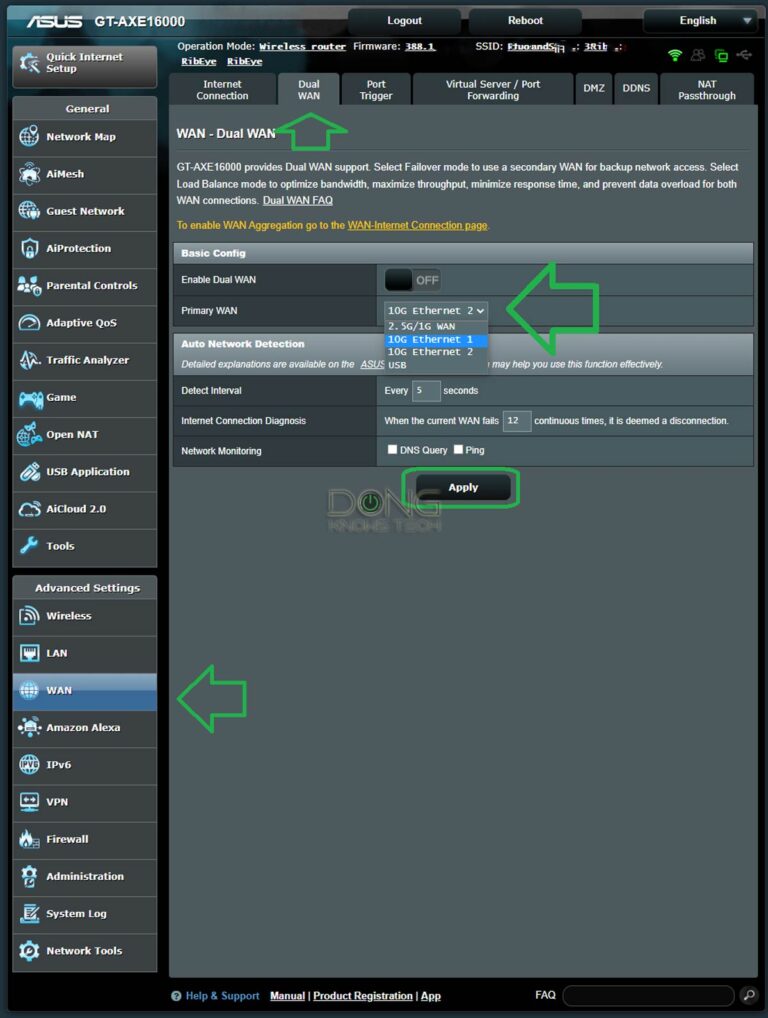
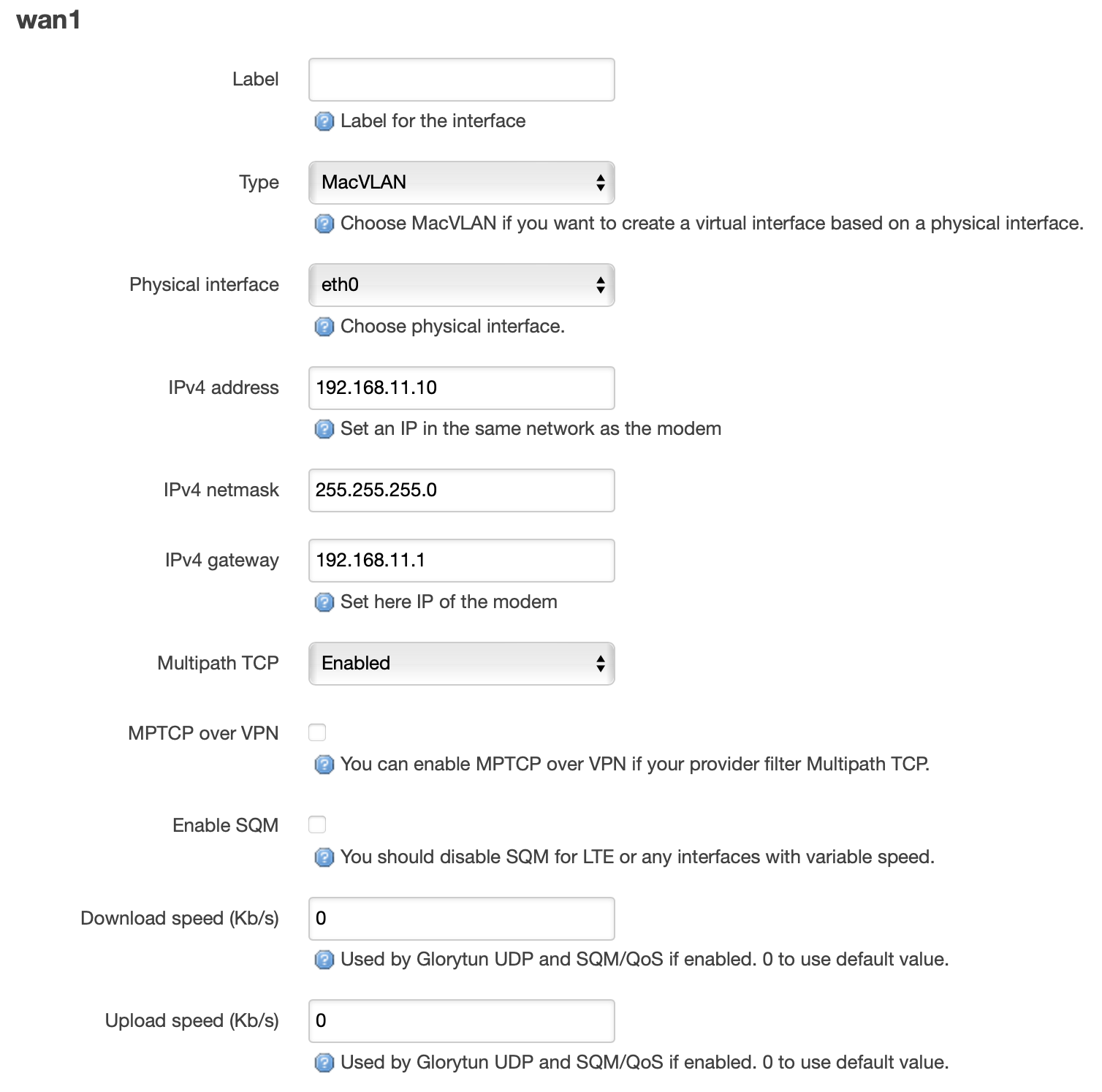
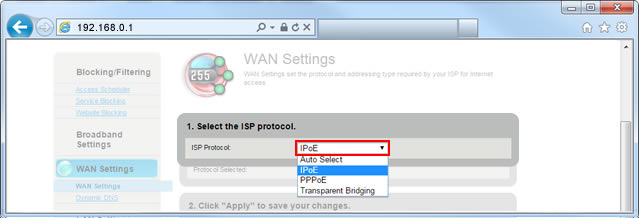
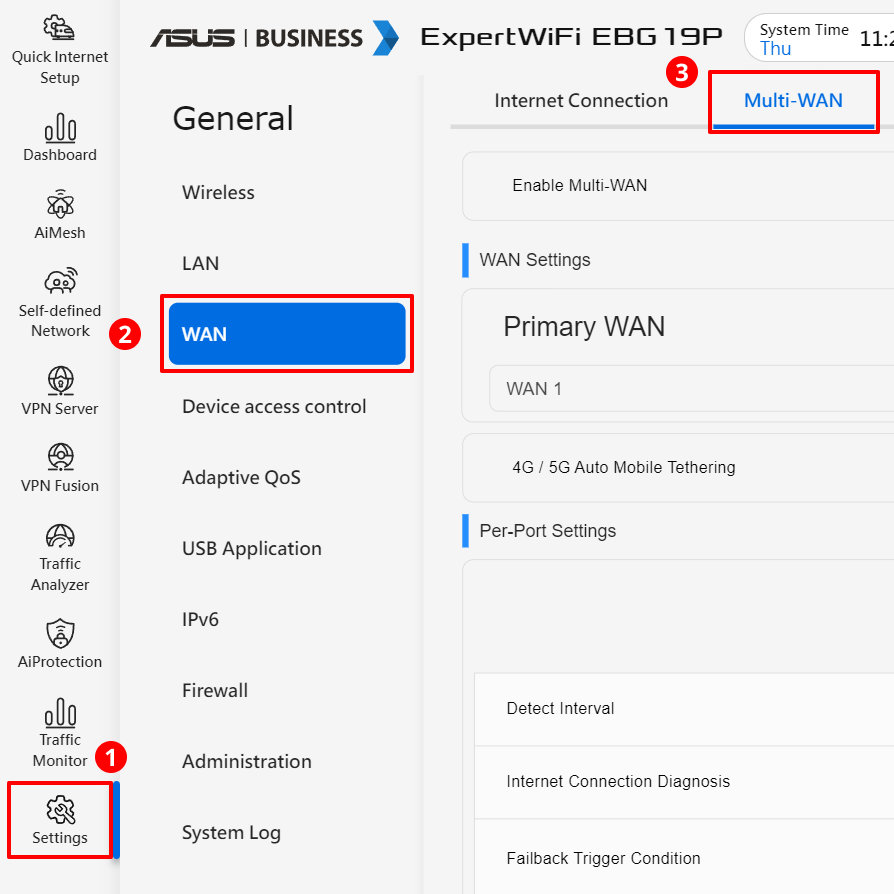
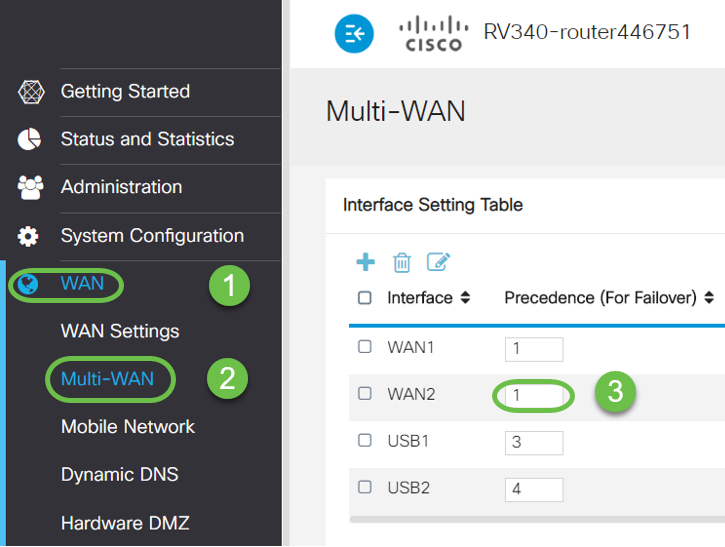
Primary Wan Setting On Business Router is what brought you here, and this page delivers it, supported by a wide range of real example pictures for reference.
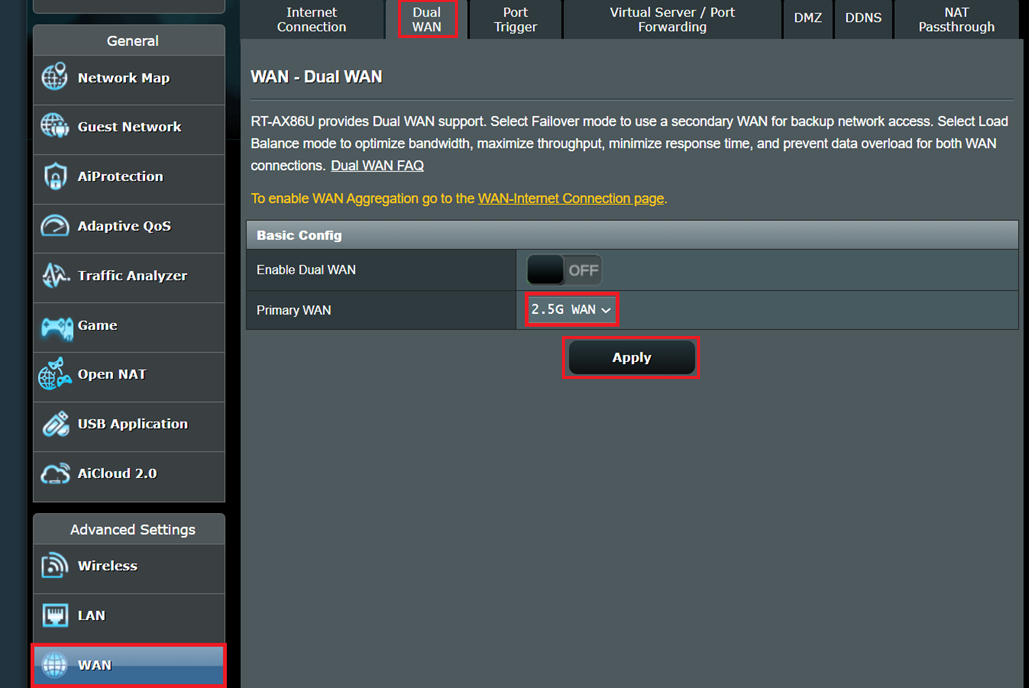
Text can only take your search so far, and that is exactly why visual references work so well here.
Example Images of Primary Wan Setting On Business Router
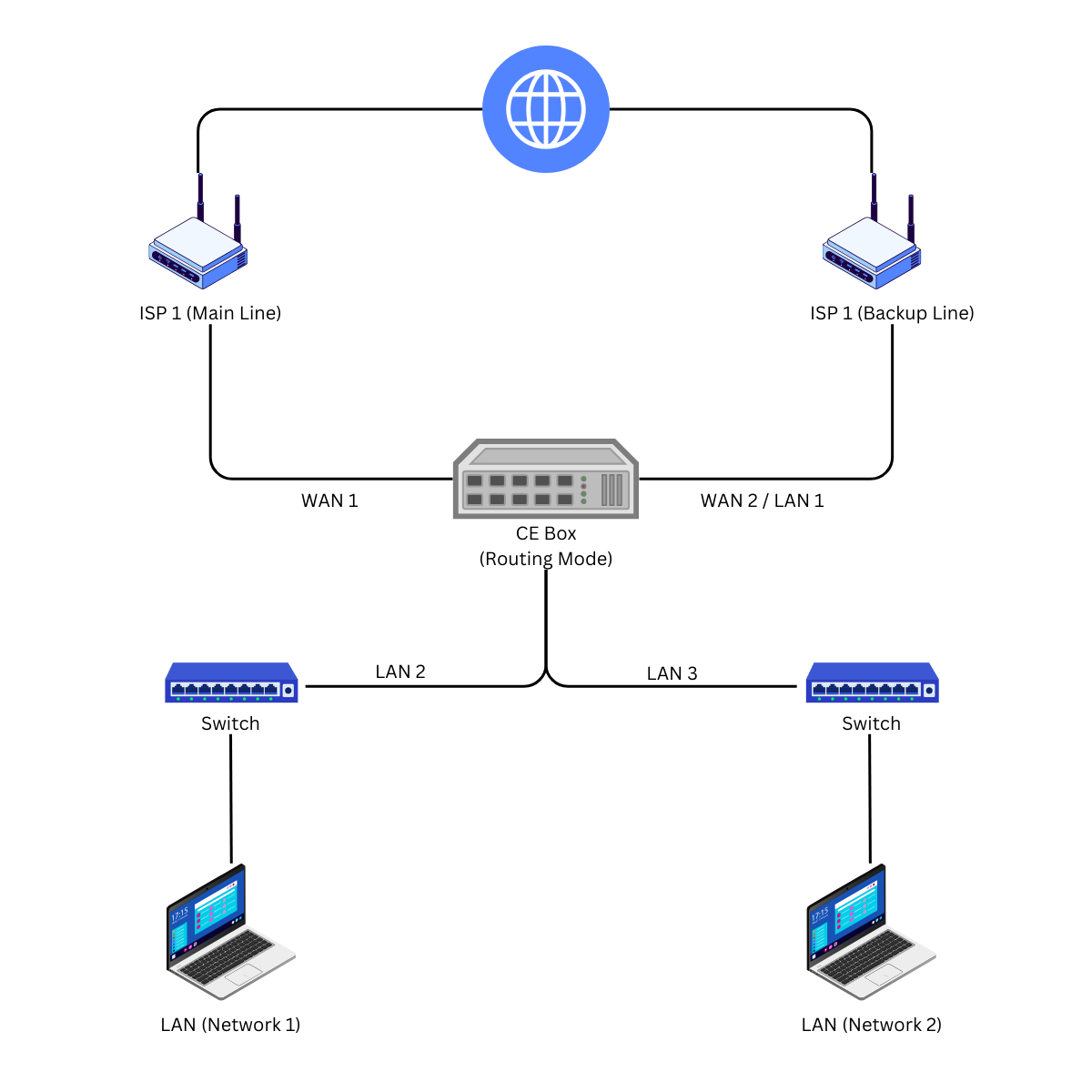
Each picture captures Primary Wan Setting On Business Router from a different angle or context, which makes it easy to spot the differences between variations.
Scroll slowly and let each image register, because the more images you see, the clearer the overall idea becomes.
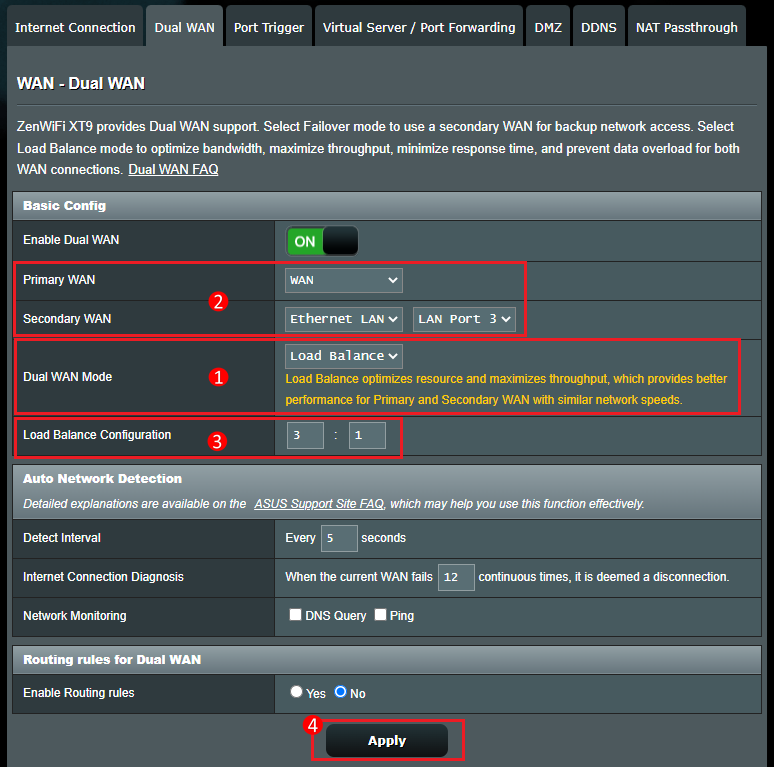
What the Images Can Show You
Every photo tells you something a description would miss, capturing exactly the kind of details people usually ask about.
Notice which details stay consistent across the pictures, since repetition across images signals what defines it.
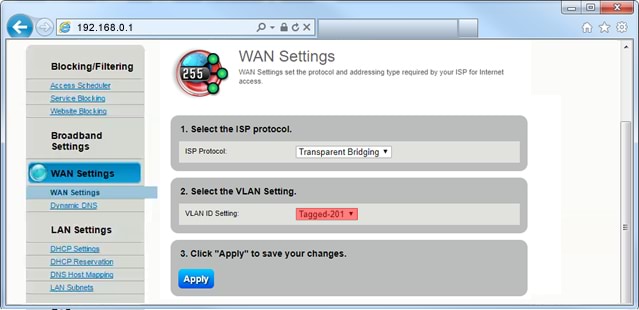
Different Variations, Different Styles
There is a surprising range of styles and interpretations here, a few lean traditional while others feel modern, which helps you quickly narrow down what you actually want.
Whenever a particular picture stands out, stop and study it, because that instinct usually points toward what you are really looking for.
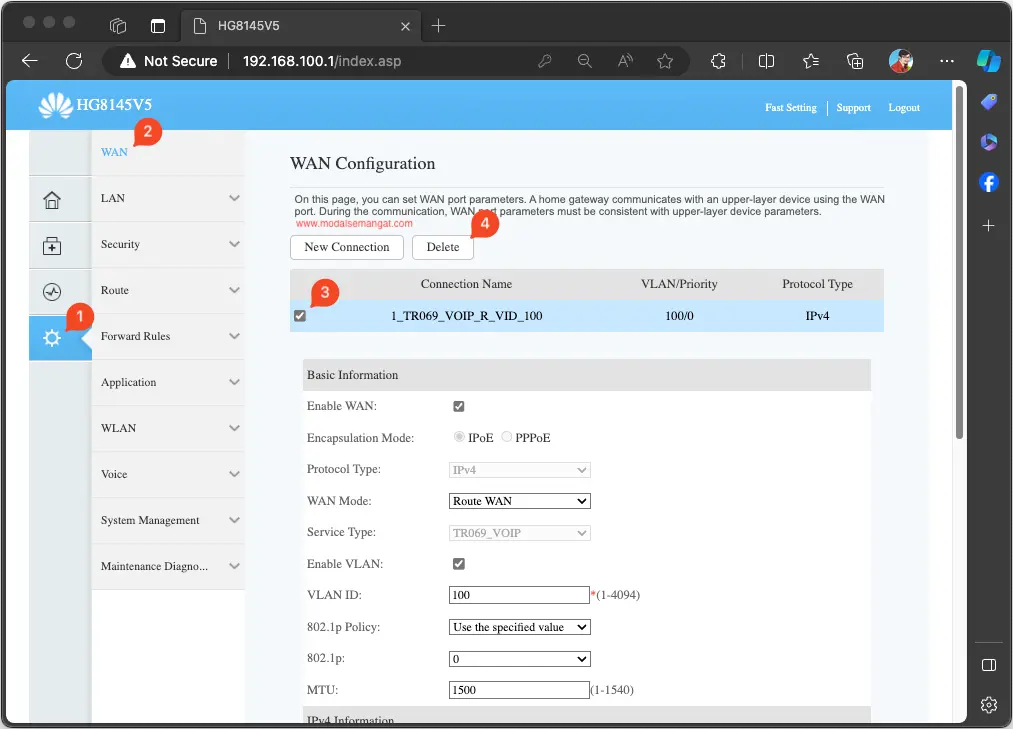
Getting Practical Value From the Images
The collection works best when you do something with it, comparing your reaction across several examples.

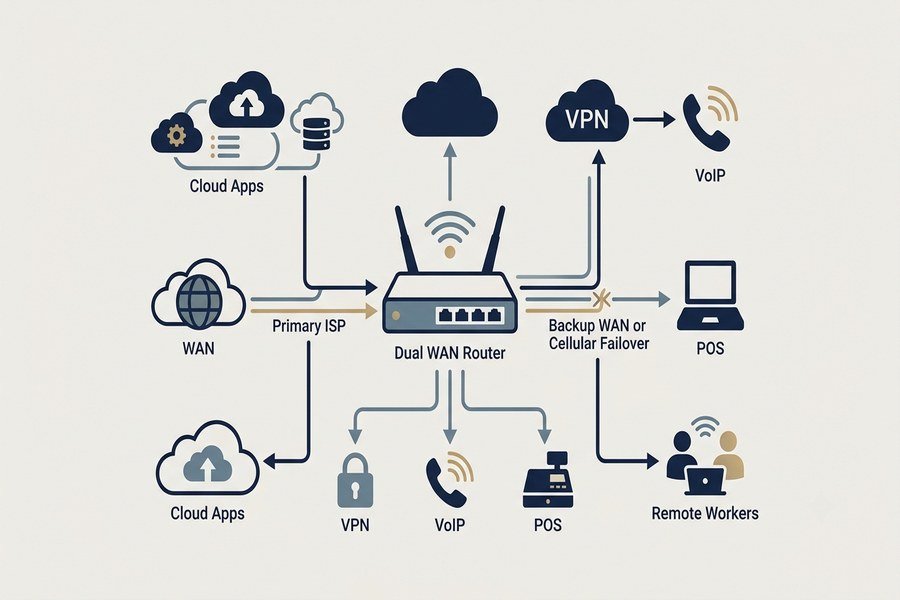

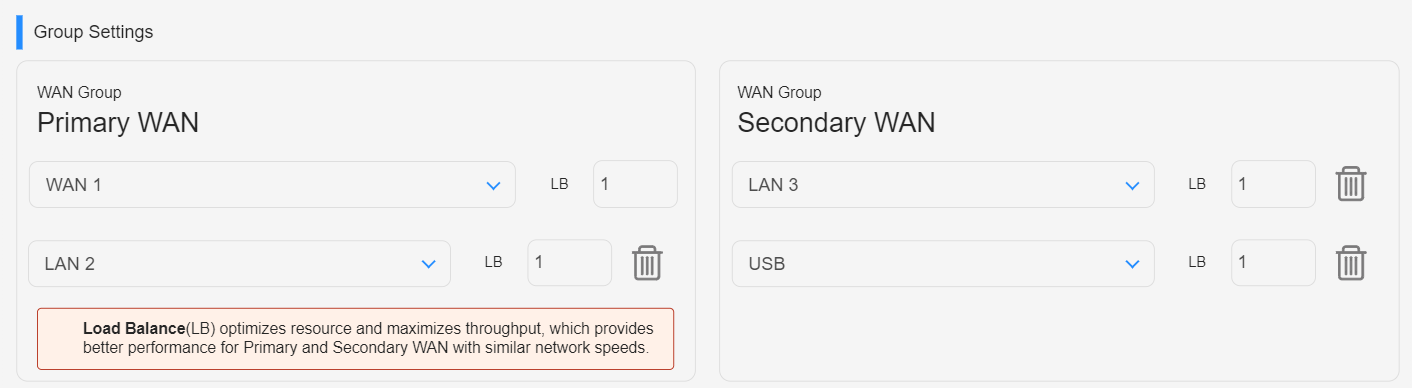


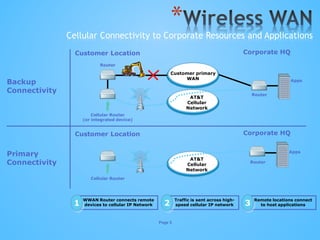

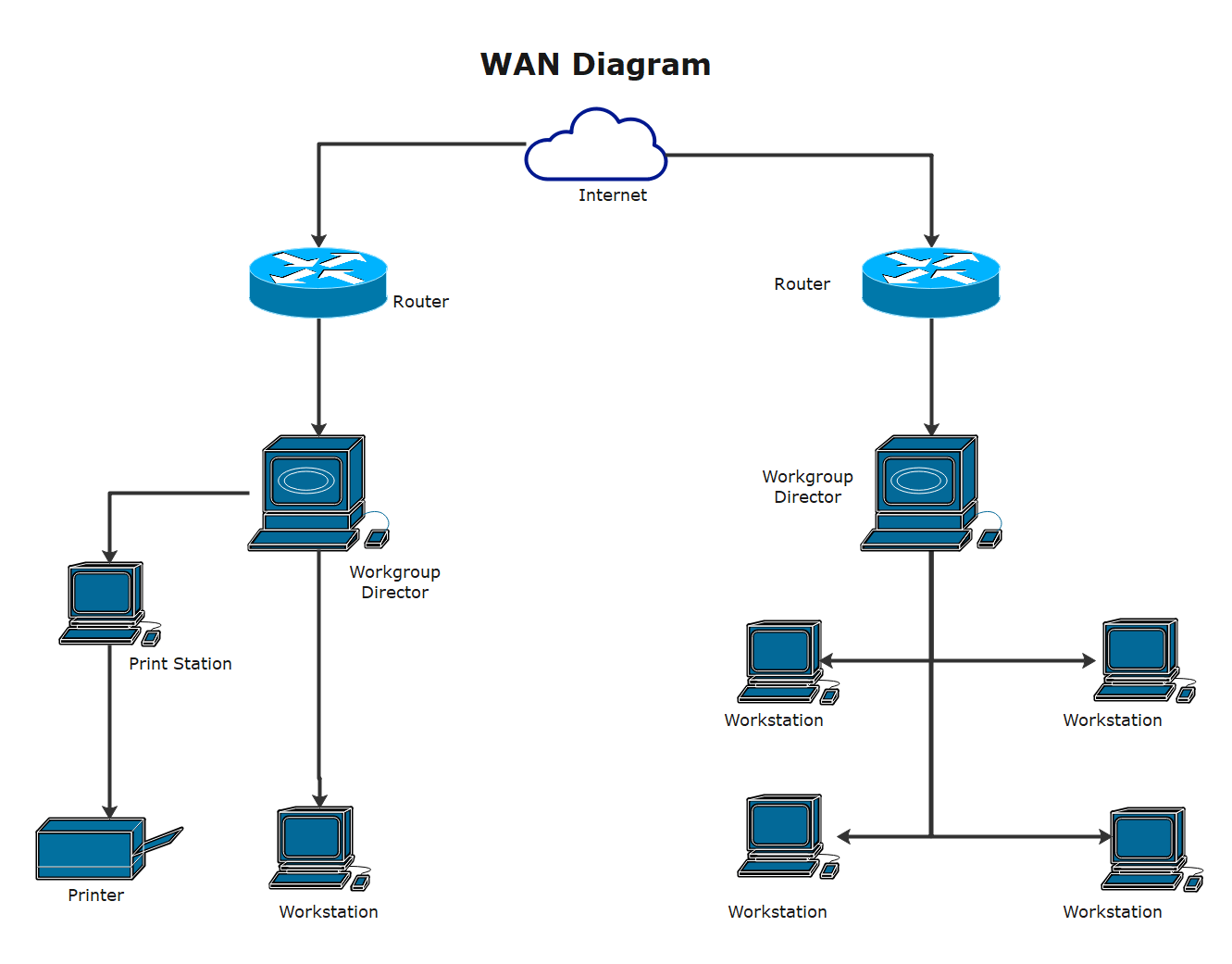


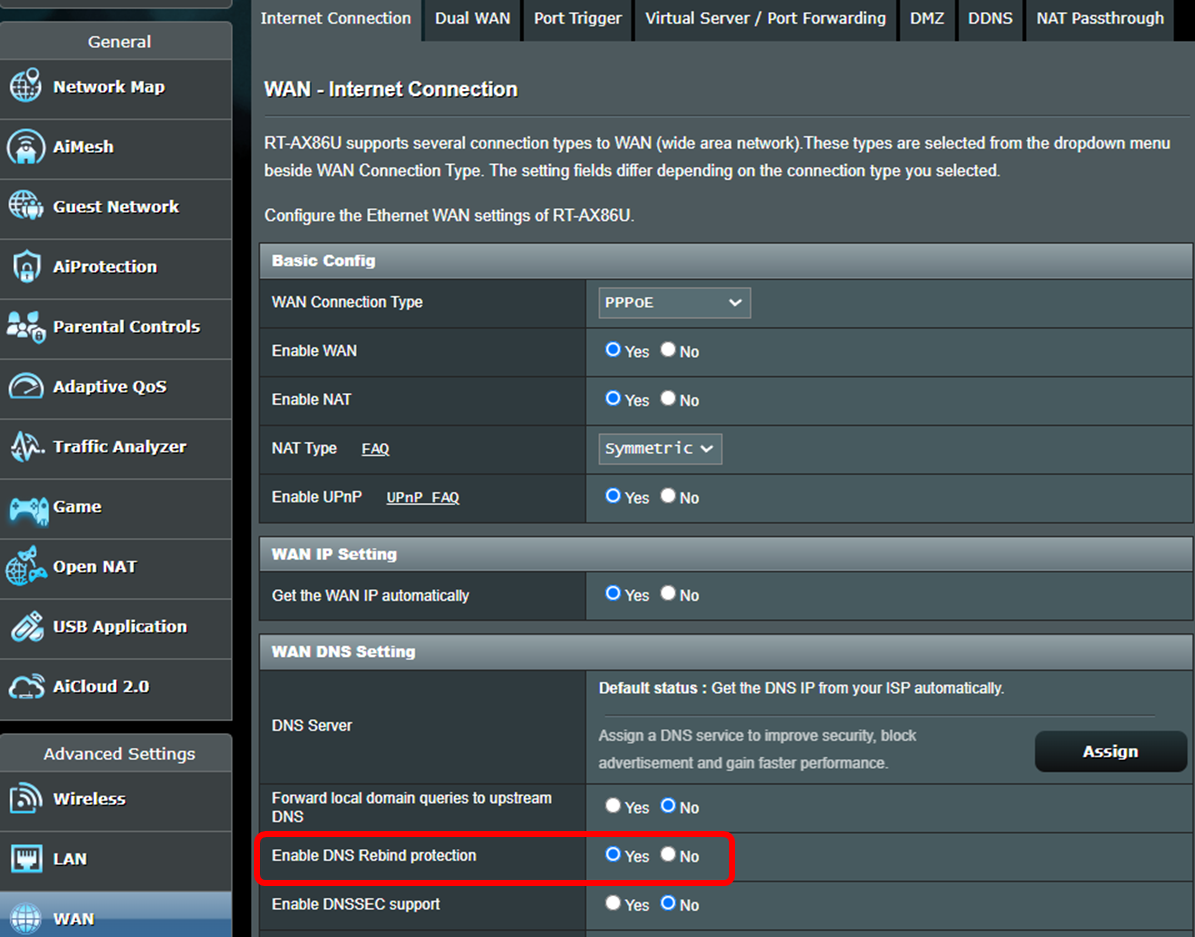
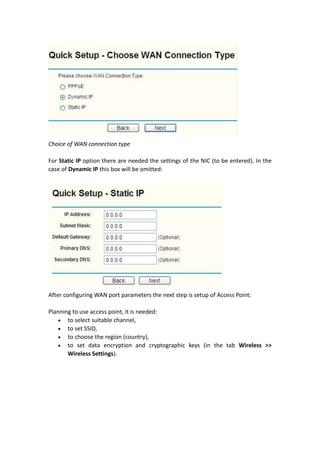





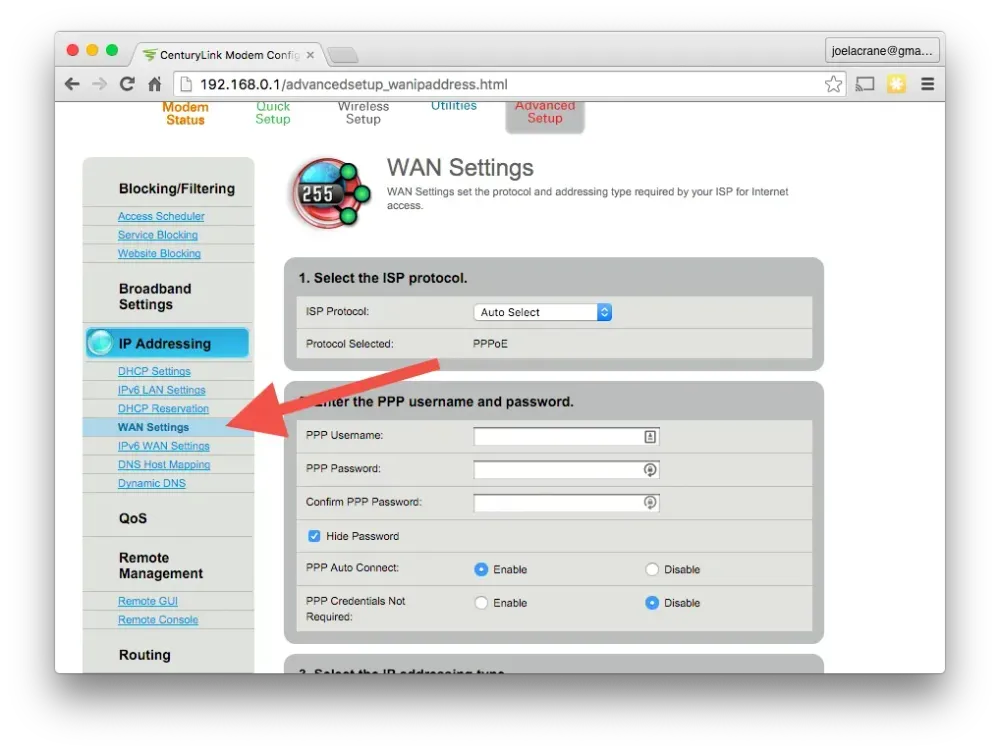
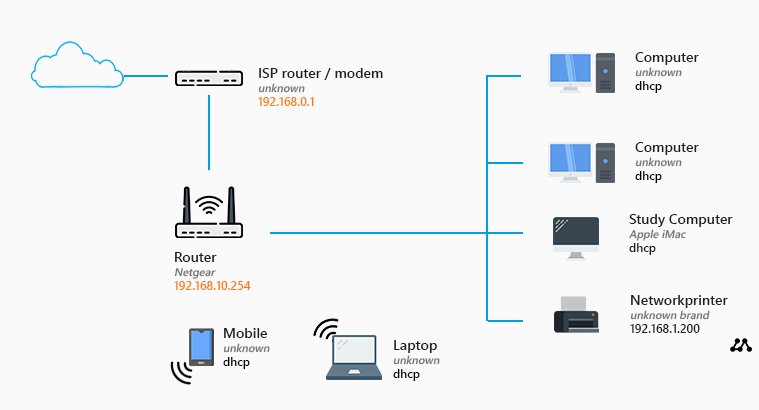
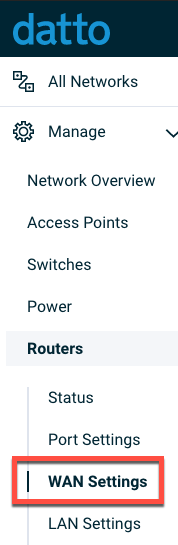
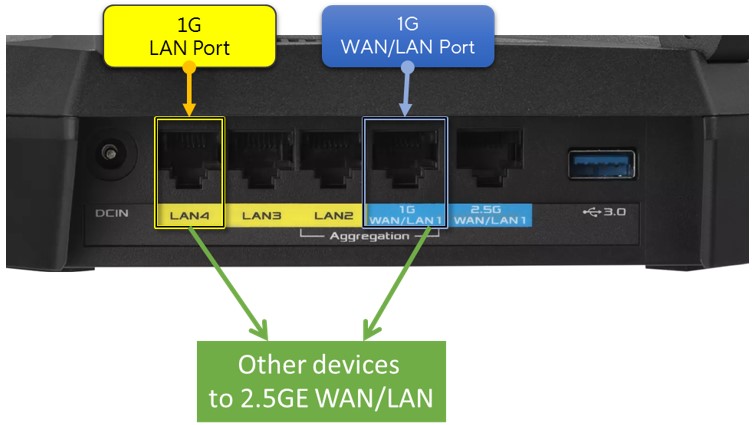
Pictures remove the guesswork from conversations, which prevents most of the usual misunderstandings.
The Small Details That Matter
Beyond the first impression, each image contains useful details, noting the choices that give each example its character.
Depth beats speed when it comes to visual learning, and let a few carefully chosen references guide your direction.
Why Visual References Work So Well
Visual search exists because the human brain processes pictures instantly, a real example eliminates the gap between description and reality.
A broad image set answers questions before they are asked, be it ideas, verification, or simply knowing what to call it.
Browse More Images Whenever You Need
Keep this gallery close for whenever the question resurfaces, and a fresh look at the same gallery often reveals something new.
The more examples you absorb, the sharper your eye becomes, so treat every revisit as a chance to see something you skipped.